








Search for Solutions. Get Support.
- First time setup
- Button Mapping
- Link Multiple Haptique
- Roku
Haptique RS90 4.0: More Control, Same Setup
Updated 18 Oct, 2026Announcement
Fresh widgets. Smoother control.
Haptique RS90 app 4.0 is available. This update brings more ways to use OPUS 1 while keeping the setup you already know.
More useful widgets
New media widgets support BluOS, WiiM, Kaleidescape, Zidoo, Roku and Spotify. Turn on Widgets page in Settings to give multiple widgets a dedicated home. Add your first widget with Add widget; press and hold an existing widget to add another, change it or remove it. You can keep up to six widgets on this page, independently of your home-screen widget.
Quicker everyday control
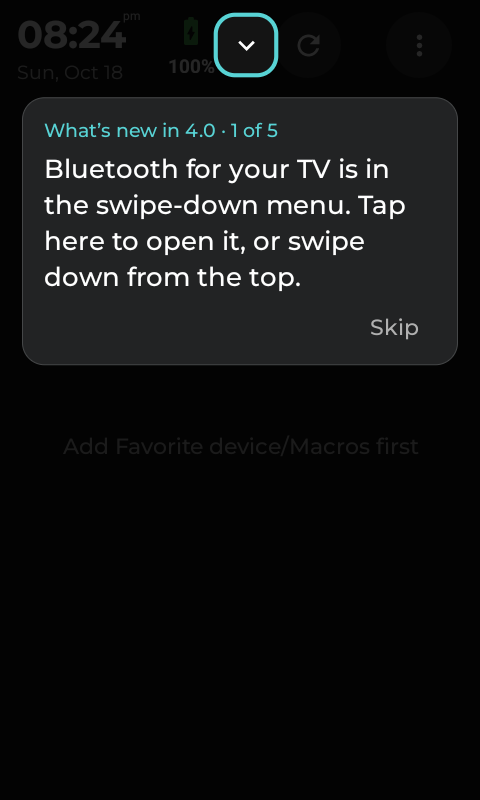
- Bluetooth at your fingertips: swipe down from the home screen and open the Bluetooth tile for supported Apple TV, Fire TV and Samsung Bluetooth device pairing and controls.
- Choose your pages: enable or hide the Apps page in Settings.
- Go home with a hold: long-press the physical Home key to return to the home screen.
- Smoother Rooms: improved startup and fixes for freezing.
- Better reconnection: improved Apple TV and Yamaha AVR reconnection and timeout handling.
Your Macros, not a fresh start
Your existing Sequence-based Macros carry into the new Macros system with their names, logos, key mappings, custom screens, device setup and favourites. There is no need to rebuild your routines or delete the originals.
Tap a new Macro tile and choose Custom UI to edit its custom controls without running the routine first. Continue to use its device pages and physical-button mappings as before.
How to update
- Refresh the RS90 itself, or use its Settings > Sync control, to check for the update.
- If the update is offered, follow the on-screen instructions to download and install it.
- After updating, follow the short 4.0 tour or choose Skip to continue using the remote.
This is an optional app update, not a system firmware update. Skipping it leaves your current app installed; you can update later. Refreshing the web configurator alone does not install an update on the RS90. Do not uninstall the app or factory-reset the remote to update.
For setup steps, see the updated RS90 user guide. Join the discussion in the Haptique community.

